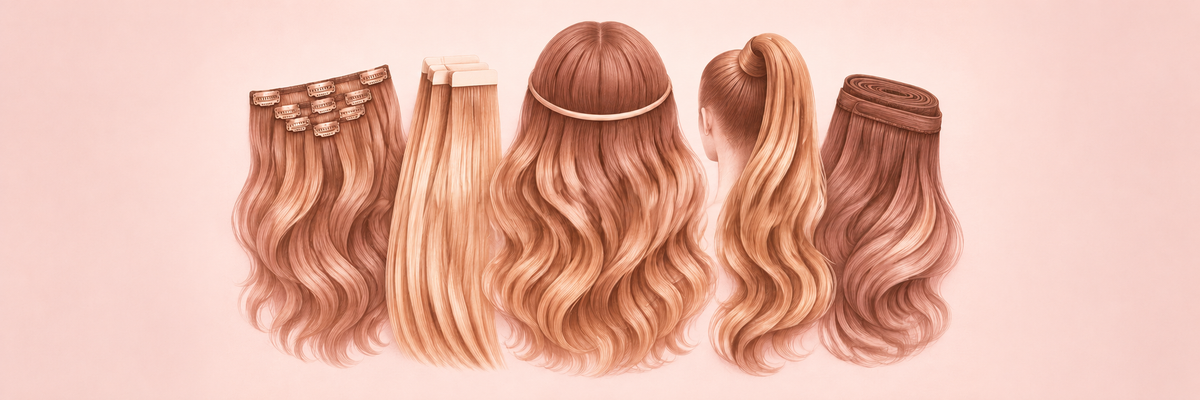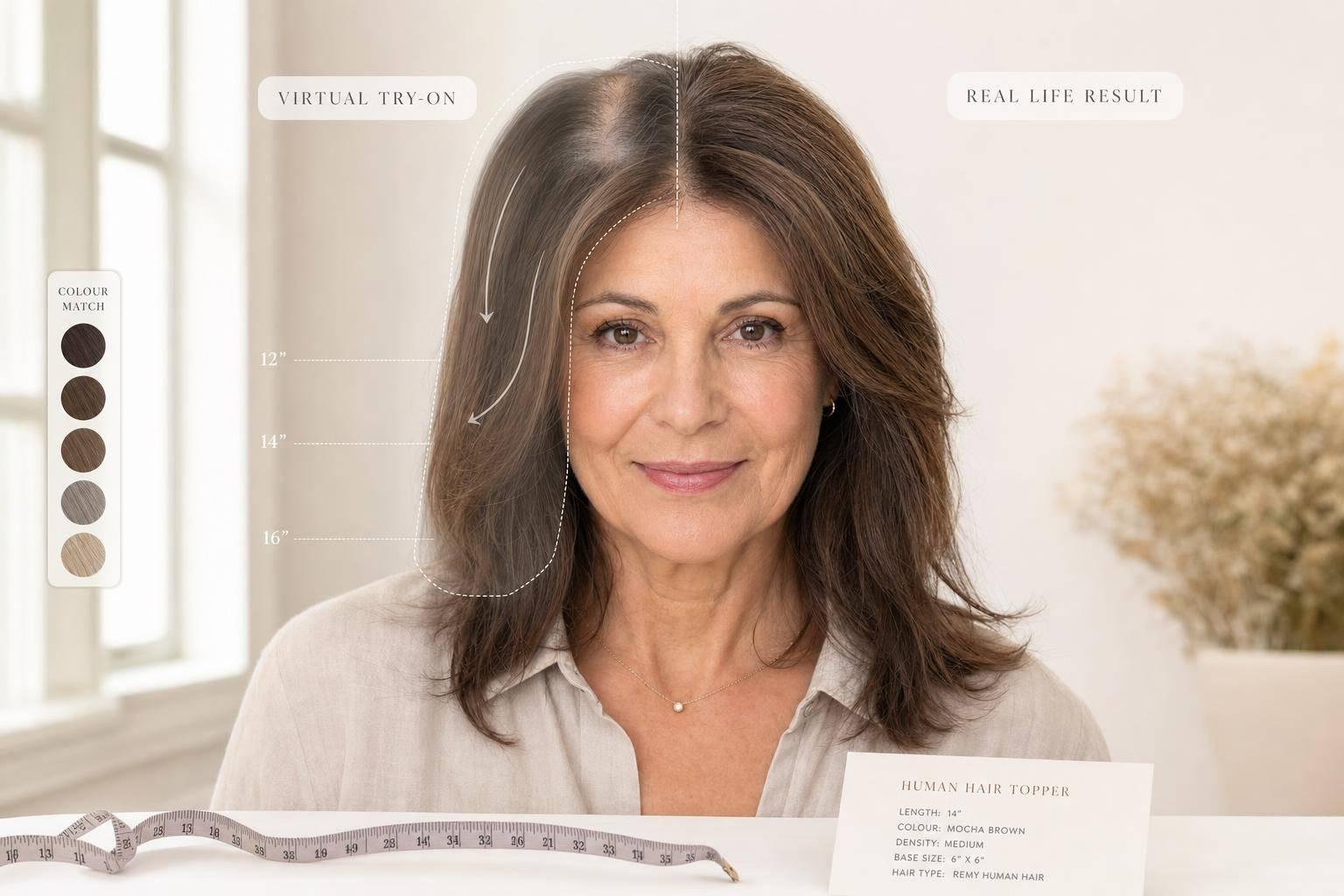
Virtual try-on is useful, but it is not exact. In most cases, it gets you about 70–80% of the way there, and colour previews sit at roughly 70% tone accuracy. That makes it good for checking shape, length, face framing, and colour direction - but less exact for density, blending, texture, placement, and lighting.
If I were using it to shop for a topper, halo, clip-ins, bangs, ponytail, or bun, I’d use it like this:
- Use the preview for direction, not a final answer
- Trust shape more than detail
- Double-check colour with daylight photos
- Measure topper base size in cm
- Read density and fit details before ordering
- Expect the in-person look to shift based on haircut, clipping, styling, head shape, and your own hair texture
That’s the core point: the screen shows an idea; wear shows the result. If I keep that in mind, I’m far less likely to be disappointed.
I Tested AI Hair Color Matching for Extensions - Here’s What Happened
sbb-itb-08feb2f
Quick comparison
| What I can usually trust more | What I treat with care |
|---|---|
| Face framing | Exact colour match |
| General length | Thickness and volume |
| Overall shape | Root blending |
| Basic crown coverage view | Placement on my head |
| Warm vs cool colour direction | Texture, movement, and shine |
So if I want to get more from virtual try-on, I use it to narrow choices first, then I confirm the parts AI can miss with photos, measurements, and product specs.
How AI Hair Virtual Try-On Works
AI maps your face shape and hairline, then places a digital hairstyle over your photo. For the clearest result, pull your hair back, use soft daylight, and keep the camera at eye level. Shadows, filters, and steep angles can throw off the placement.
What the Software Reads From Your Photo
The software looks at your face shape, hairline position, and facial proportions to work out where the digital style should sit. Lighting plays a big part here. Poor light can create shadows that the system reads the wrong way.
Most tools also work from a single static image. So they’re reading a flat photo, not how your hair moves or how texture shifts in person.
What AI Predicts Well
AI is most useful for showing direction, not exact results. For Silkara Hair shoppers, that’s often what matters most when judging fringe shape, length, and crown coverage.
It’s also fairly good at showing how a shade may read against your complexion, whether it looks warmer, cooler, lighter, or darker. The same goes for face framing. You can get a solid sense of whether a style works with your features, even if the final in-person result may look a bit different.
That’s why some try-on results look close, while others still need a real-world check.
Where Virtual Try-On Is Accurate and Where It Falls Short
Virtual Try-On vs Real Life: What AI Gets Right and Wrong
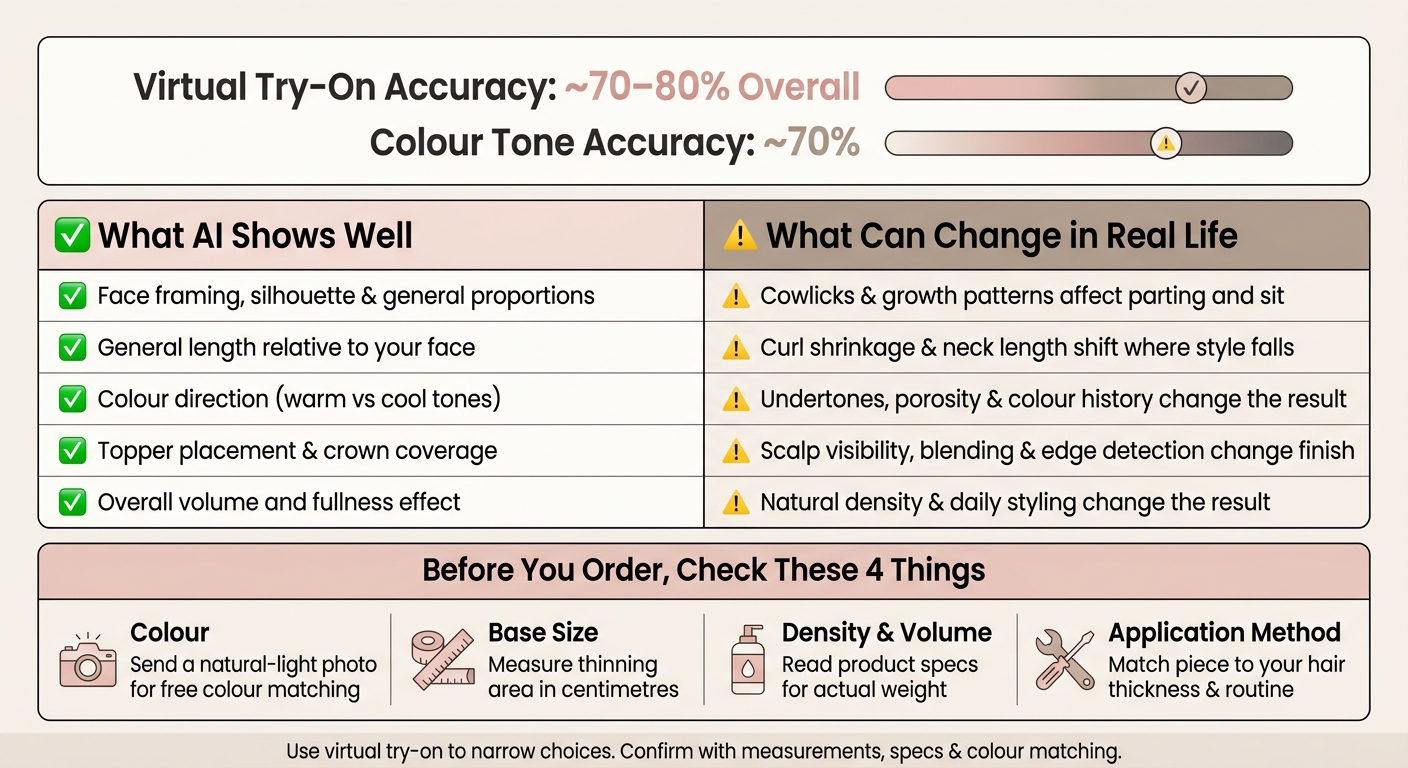
Virtual try-on realism usually lands at around 70–80% accuracy [2]. That’s a useful benchmark, but not a guarantee. Think of it as a working limit. AI tends to read shape first, and that’s also where it performs best. Where it starts to wobble is with finish, density, and movement.
Usually Close: Face Framing, Length and Overall Shape
This is why AI tends to do best with shape rather than fine detail. It reads silhouette and proportion more reliably than the small stuff. General length comparisons also come through well, so in most cases you can trust the broad feel of whether a style looks short, mid-length, or long on your face.
Less Exact: Colour, Density and Texture
The finer points are less dependable. Colour tools can point you in a warm-versus-cool direction, but they can’t account for undertones, porosity, or previous colour history. Virtual colour tools usually reach about 70% colour tone accuracy [1], so they’re better used as a guide than an exact preview.
AI also tends to make hair look fuller than it may appear in person. For toppers and extensions, that means the model can suggest the right style direction while still missing how well the hair blends.
The biggest gap between screen and real life shows up in detail-level features.
| What AI Shows Well | What Can Change in Real Life |
|---|---|
| Face framing, silhouette and general proportions | Cowlicks and growth patterns can change how hair parts and sits |
| General length relative to your face | Curl shrinkage and neck length change where the style falls |
| Colour direction, such as warm vs cool tones | Undertones, porosity and previous colour history change the result |
| Topper placement and crown coverage | Scalp visibility, blending and edge detection change the finish |
| Overall volume and fullness effect | Natural density and daily styling change the result |
On screen, you’re looking at a static snapshot. Real life adds movement, gravity, head shape, and texture. Results can shift once haircut, placement, and blending enter the picture.
Why Real-Life Results Can Look Different
Virtual try-on gives you a solid sense of a style’s shape. But once you wear the piece on a real head, a few other things come into play: placement, movement and how it blends with your own hair.
That’s usually where the result starts to shift. The preview shows an idea. Real wear shows how the piece looks after it’s cut, clipped and styled.
The main differences usually come down to fit, density, texture and lighting.
Haircut, Placement and Blending
The first mismatch often shows up where the piece meets your natural hair. If your hair hasn’t been layered or trimmed to blend into the piece, you can end up with a visible step between lengths. It’s a bit like joining two fabrics with different hems - the line stands out.
Clip placement matters as well. Even a small shift can change how a topper sits at the crown or how a halo falls at the back. A piece that looked spot-on in the preview can sit a little off in person if the placement changes by even a small amount.
Density, Texture and Growth Patterns
Your own hair thickness and growth direction also shape the final look. Fine or thinning hair may give toppers less grip, while cowlicks or widow’s peaks can affect how clip-in bangs or fringes sit.
Texture plays a part too. If your hair is uneven in texture, coverage can look different in person than it did in the preview. That’s one of those small details that seems minor at first, then makes a clear difference once the piece is on.
Styling, Lighting and Head Shape
The final result depends on how the piece sits, moves and catches the light once it’s worn. Getting close to a polished preview often takes some styling, such as blow-drying, smoothing or curling, along with a bit of product.
Head shape and facial asymmetry can shift the way a halo, topper or fringe sits too. And colour can be sneaky: the same shade may look different under indoor lighting than it does in daylight.
How To Use Virtual Try-On Wisely With Silkara Hair
Use the preview to narrow your options, then check the practical details before you order. With Silkara Hair, virtual try-on works best as a filter. The product details are what should back up the final decision.
Once you know where AI can get things wrong, the next step is simple: use it to build a shortlist.
Use AI for Direction, Not Exact Results
Use virtual try-on to narrow options, not to promise the final look. It helps you rule out styles that clearly don't suit you - like a fringe that feels too heavy, an extension length that looks too long, or a topper coverage area that seems bigger than you need.
So use the AI to sort through the big choices:
- curtain fringe vs. straight fringe
- halo vs. clip-in
- lighter colour family vs. darker
Then double-check the fine points with product information and colour matching.
After that, look at the details AI can't measure.
Confirm Colour, Base Size and Fit Before Ordering
Once the AI has pointed you in the right direction, three things are worth checking properly before you commit.
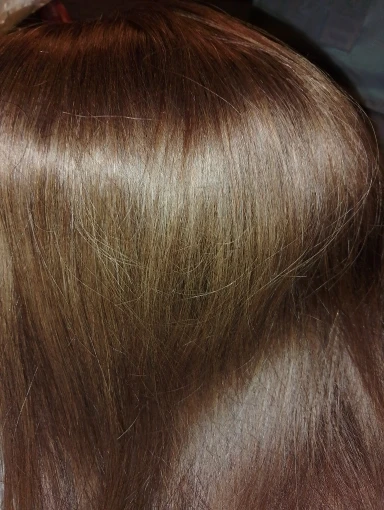
Colour is the hardest one. Screens show colour differently from real hair, so digital shades are only a guide. Silkara Hair offers a free colour matching service using customer photos. Use clear daylight photos facing a window, without heavy filters or harsh overhead light. That gives a better read on your hair tone than an AI preview.
Base size matters most for toppers. AI can estimate coverage, but it can't measure the exact area of thinning on your scalp. Measure the thinning area with a soft tape measure in centimetres, then compare it with the base measurements in the product details. If the base is too small, it won't cover enough. If it's too large, blending can be harder.
Density and volume should also be checked in the product specs. A halo extension wears differently from clip-ins, and the density listed on each product gives you a clearer sense of the finished weight and volume than a digital overlay can.
| What to Check | Why the Preview Falls Short | What to Do Instead |
|---|---|---|
| Colour | Screens show colour differently from real hair, so digital shades are only a guide | Send a natural-light photo for free colour matching |
| Topper base size | AI can estimate coverage, but not the exact area of thinning | Measure the thinning area in centimetres with a soft tape measure |
| Density and volume | Previews often look fuller and more idealised than real hair | Read product specs for actual hair weight and thickness |
| Application method | The preview shows style, not wearability or maintenance | Match the piece to your hair thickness and daily routine |
Conclusion: Set Realistic Expectations and Get Better Results
AI virtual try-on helps with shape, length, and colour direction, but it can't fully show density, growth patterns, root blending, or lighting. That's why expectations matter just as much as the tool itself.
Treat virtual try-on as a way to explore, not a promise. That simple shift usually leads to better satisfaction with the final result. Once you look at it that way, the next checks are pretty straightforward.
The same idea applies to any Silkara Hair piece, from toppers and fringe pieces to halo extensions, clip-ins, ponytails, and buns. The AI preview helps narrow your options. Then colour matching, product photos, and base size guidance help confirm the fit. Silkara Hair's colour matching, product photos, and base size guidance make it easier to choose with more confidence.
FAQs
How accurate is virtual try-on really?
Virtual try-on is a handy way to get a feel for how a style, colour or accessory might look with your face shape and proportions. But it’s best to treat it as a guide, not an exact preview.
AI can’t fully recreate your hair density, texture, growth patterns, or how your hair reacts to humidity and wind. For the closest result, use a clear, front-facing photo taken in natural daylight, with your hair tied back.
Why does the real-life result look different?
Real-life results can look different from virtual try-on images because AI works in a controlled digital setting, while your hair has to deal with physics and your own anatomy.
A virtual preview gives you an idealised, static version of a style. It doesn't always show your natural hair density, texture, growth patterns, daily styling habits, or how the hair solution will blend with your features, hairline, and existing hair.
What should I check before ordering?
Use the virtual try-on as a guide to see how different styles or colours may look with your features, rather than as an exact preview. What you see on screen can differ from what you get in person, depending on your hair density, texture, and growth pattern.
Before you buy, use our free colour match service and check your measurements with a soft tape measure. Leave 1 to 2 cm so the clips can attach securely to healthy hair.